Create your QR-sticker now.
Your solution is here.
We make review collection simple for you.

Ready to use
Choose your Google Business Profile. We create the link, QR code, sticker design and deliver it to you.
Fast and easy
Customers don't have to search for you on Google. One scan takes them straight to your review page.
Managed QR link
Your QR code runs through our system, so it's our job to make sure the review link is monitored and reliable.
One-time payment
One order, ready to use stickers, and everything else included. No monthly fee.
Three simple steps to turn a good experience into a Google review.
1. Visible QR
Place the sticker where customers naturally notice it.

2. Friendly reminder
“Enjoyed your experience? Scan here to leave us a quick review!”
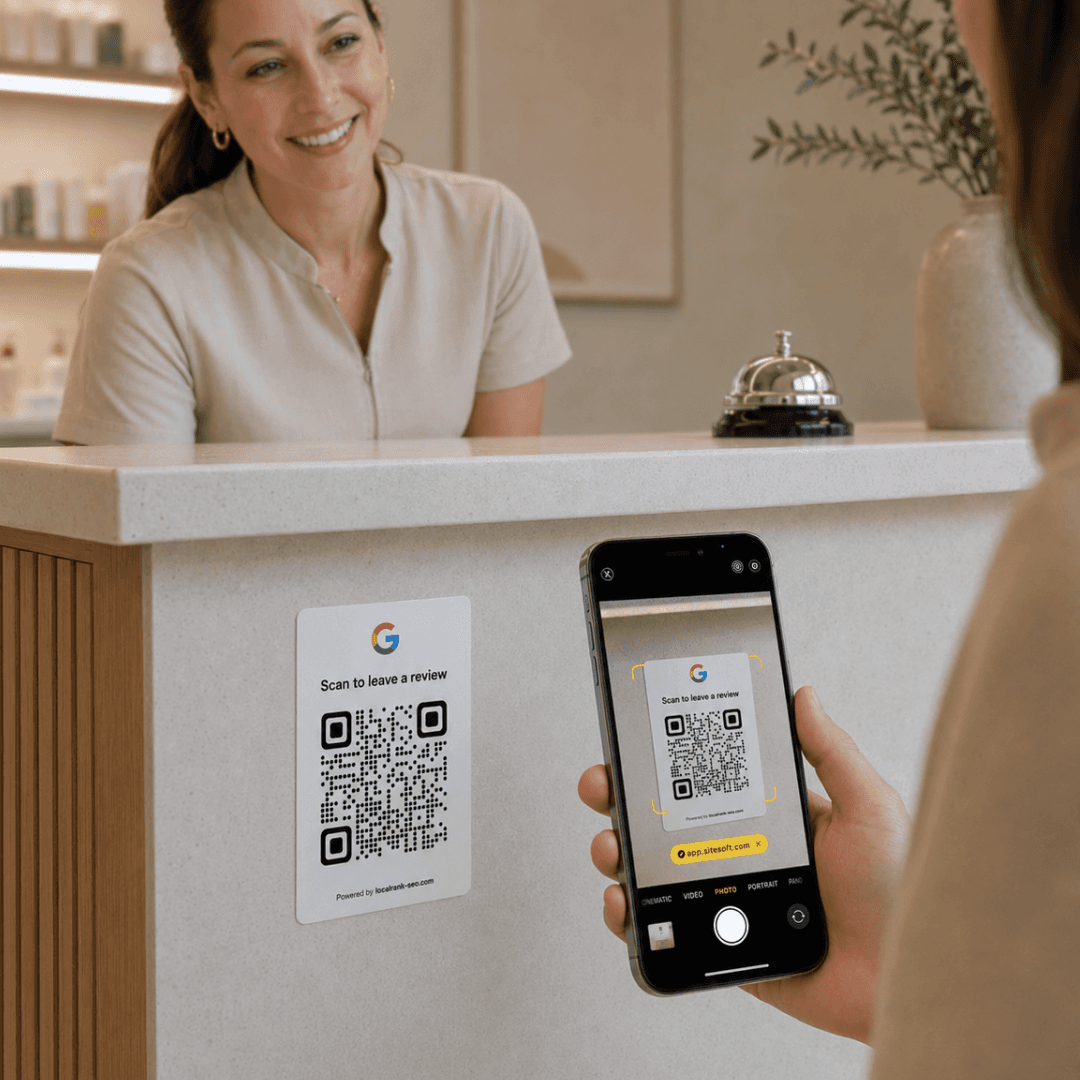
3. Google review
The QR takes your customer straight to your Google review page.

More than just a QR sticker
Compare the added features that make your sticker easier to manage over time.
Do I need access to my Google Business Profile?
No. You can create and order the QR sticker without logging into your Google Business Profile. Just search for your business, choose the right location, and we’ll use the public review destination.
Is it allowed to ask customers for Google reviews?
Yes. You can ask customers to leave a review and share your Google review link. The review must be voluntary, and you should not pay customers for reviews.
Where does the QR code send customers?
The QR code sends customers directly to your Google review page, where they can leave a review.
What if my Google review link changes?
Your QR link is checked every 24 hours, so you do not have to worry about it. If the link stops working, we can update the destination.
Why not just use a free QR code?
A free QR code is a good start. With our solution, you also get a ready-to-use sticker, clean design, printing, delivery, and redirect protection.
Where should I place the QR sticker?
Place the QR sticker where customers naturally pause or finish their visit. Good spots include the front desk, checkout or service counter, waiting area, door, or exit. The goal is to make the sticker easy to notice at the right moment, while the experience is still fresh and leaving a review feels simple.
How much does it cost?
The final price is shown before you confirm your order. Shipping is free, and each additional sticker costs less than the first one. Price and currency may vary by location.
What happens after I order?
We review your order, confirm it, and send the stickers to your chosen address.
Need something custom?
Bulk order, custom design or multiple locations
Tips for growing AI visibility
Practical insights on Google and AI search.